
PhotoCraft Online Editorial Team
Does PhotoCraft Have AI? Generative Fill, Removal and Expand
Understand what PhotoCraft's web editor can do today, what prompt-based generation is not available for, and why automation control is not AI image generation.
This site's PhotoCraft v0.5.0 editor does not currently provide prompt-to-image, generative fill or generative expand. Some editing operations are automatic, and the desktop edition exposes control interfaces. That does not mean you can type a prompt in this browser editor and receive Photoshop-equivalent generated content.
Sources were checked on October 10, 2026. This article separates three things users often mix together: what PhotoCraft documents, what desktop control can operate, and what this independent website offers today. If a feature is not on the page or in the editor, do not assume it is available.
Why does “AI editing” mean several different things?
An editing task can involve three kinds of assistance:
- Classical image processing: an algorithm adjusts pixels, detects boundaries or borrows nearby texture according to a defined procedure.
- Generative processing: a model synthesizes image content, often guided by text, a selected region or a reference image.
- Automation control: a system decides which editing commands to run and invokes the application's controls.
These can be combined, but they are not interchangeable. Automation might run a crop without generating any pixels. A traditional repair tool might remove a small blemish without understanding a prompt. Generative expansion might create a new background but still require careful masking and review.
The upstream v0.5.0 roadmap distinguishes classical smart features from a deferred generative backend. That distinction matters more than the word “smart” in a menu.
What can I do today?
| Task | Current availability | What to keep in mind |
|---|---|---|
| Generate an image from a prompt | Not available | Use a tool that explicitly offers prompt generation |
| Fill a selected area with generated content | Not available | Classical fill or repair is a different kind of tool |
| Expand the image beyond its edges | Not available | Canvas resizing can add space, but it does not invent a new background |
| Remove a small blemish | Conventional repair may help | Work on a copy and inspect the result at full size |
| Select a subject automatically | Smart selection may help | Check the edges before exporting |
| Batch-edit automatically | Not available in this browser editor | Desktop control interfaces are separate from this website |
| Buy AI credits on this site | Not available | No AI credit product is active today |
Conventional editing descriptions are in the PhotoCraft v0.5.0 documentation. The table lists the current user-facing conclusion for this site; for editing evidence, consult the review record.
What we actually checked in the browser
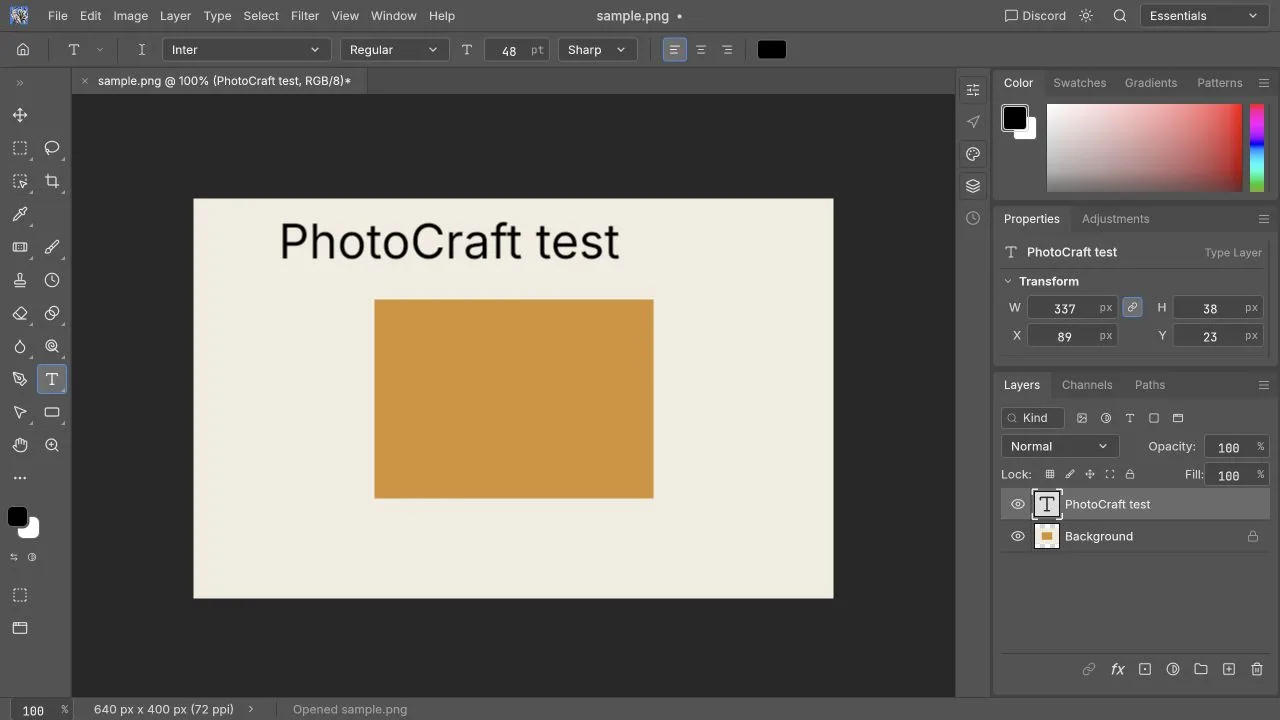
Our October 10, 2026 local v0.5.0 check used macOS 26.2 and a Chromium browser. PNG import, a new English text layer, undo/redo, crop, direct brightness adjustment and PNG download passed. Those were conventional editing operations; we did not test generative output or automatic subject-selection quality.
For PSD and broader editing notes, see the task review. Those results do not establish any AI capability or Photoshop equivalence.
Is content-aware repair the same as Generative Fill?
No. The user goal may be similar, replacing an unwanted area, but the process and failure modes differ. A texture-based repair can work well on a small patch of plain sky and fail across a patterned garment or a product edge. A generated replacement may introduce plausible-looking detail that was never in the photograph.
Adobe's Generative Fill documentation describes selecting a region and using prompts and generation models. That is a useful reference for what users mean by the phrase. It does not establish that PhotoCraft has the same service, models, credits, outputs or usage terms.
For removal, decide whether invented detail is acceptable. A personal creative image and an accurate product photograph have different requirements. Review repaired boundaries at full size, keep the original and reject changes that alter the item's real shape or texture. Those checks apply whatever tool performs the operation.
Can PhotoCraft expand an image?
Changing canvas dimensions can create extra space without synthesizing new visual content. You can fill that space with a color or add material you already have. Generative expansion instead attempts to create a continuation beyond the original image.
This website does not currently offer generative expansion as an AI service. Do not start a job here expecting prompt-driven background continuation. If you use an external tool you have already checked, save its output as a distinct file and bring it into an editing workflow only after inspecting the generated details and the service's terms.
What do desktop control interfaces actually provide?
PhotoCraft's desktop control protocol describes authenticated local control and a tool bridge. These are interfaces for operating an application. They are not a built-in image-generation model, and they are not a connection this site's editor automatically opens to your computer.
An automation system can invoke commands on behalf of a user. For example, it can implement an editing sequence rather than requiring the user to click each control. It still needs an external decision-making system and appropriate permissions. Its existence says nothing about the visual quality of a repair, nor about the privacy practices of whatever external model drives it.
The Web hosting documentation describes a static browser package. This site currently embeds that released editor without a desktop control bridge or a custom file-transfer API. There is no promise that an AI result will automatically enter the active canvas.
Will this website add paid AI?
Basic editing is free today. There is no active AI product on this site now.
If AI features are introduced later, their model or service source, price, allowance and processing terms will be shown before use. Background removal, object removal and expansion are not available features on this site today. The open-source PhotoCraft project, ArtCraft's other services and this independently operated website have separate product boundaries.
How should you choose an AI workflow now?
Start with the intended output. If you only need a crop or readable caption, conventional editing may be sufficient. If you need newly generated content, select a tool that explicitly supplies that operation and check its current access conditions. If you need accurate reconstruction of an original product, a plausible generated image may not be acceptable at all.
Then separate the questions: Can the operation run? Does its output satisfy the task? Can you use the result under the applicable terms? What information is transmitted? A successful preview answers only part of that checklist.
Our online editor comparison links to other products' current official pages, and the Photoshop comparison explains broader migration requirements. For local document handling, read Is PhotoCraft safe?.
Frequently asked questions
Is everything labeled “smart” based on a generative model?
No. Read the documented operation and inspect its result; the label alone does not identify the algorithm.
Does tool-control support mean free built-in AI?
No. Tool control lets an external system operate the app. Model access, costs, processing terms and permissions still belong to that separately configured system.
Will future paid AI make basic editing require payment?
This site does not currently offer paid AI features. Terms will be published when a concrete service exists.
Open the free editor for conventional image editing, or follow the first task tutorial.